2017-09-20/13-37-40.jpg
September 20, 2017
2017-09-20/13-20-02.jpg
September 20, 2017
2017-09-20/13-16-00.jpg
September 20, 2017
2017-09-20/13-10-44.jpg
September 20, 2017
2017-09-20/13-05-02.jpg
September 20, 2017
2017-09-20/12-57-57.jpg
September 20, 2017
2017-09-20/12-51-25.jpg
September 20, 2017
2017-09-20/12-39-24.jpg
September 20, 2017
2017-09-20/12-26-21.jpg
September 20, 2017
2017-09-20/11-29-04.jpg
September 20, 2017
2017-09-20/10-32-46.jpg
September 20, 2017
2017-09-20/10-32-15.jpg
September 20, 2017
2017-09-20/10-32-10.jpg
September 20, 2017
2017-09-20/10-28-35.jpg
September 20, 2017
Skyline LA
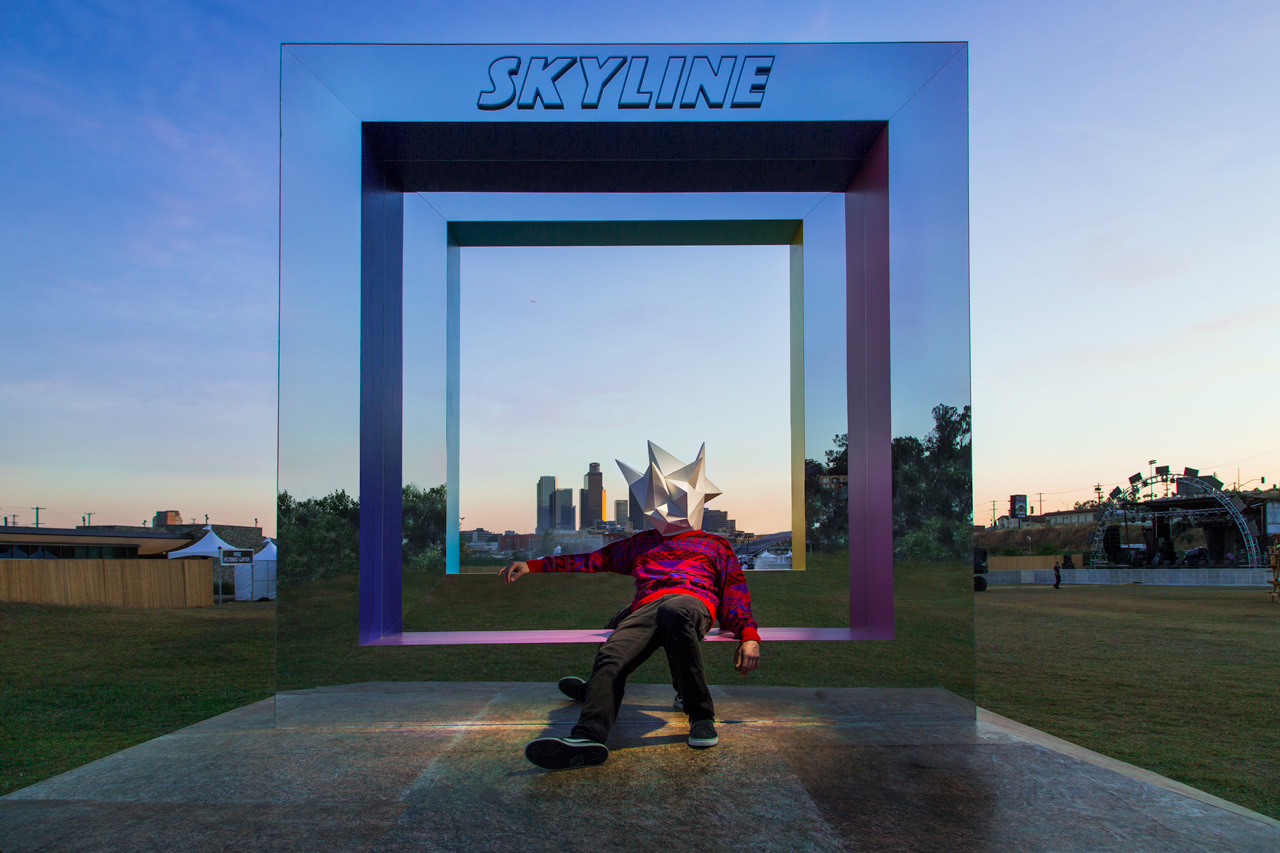
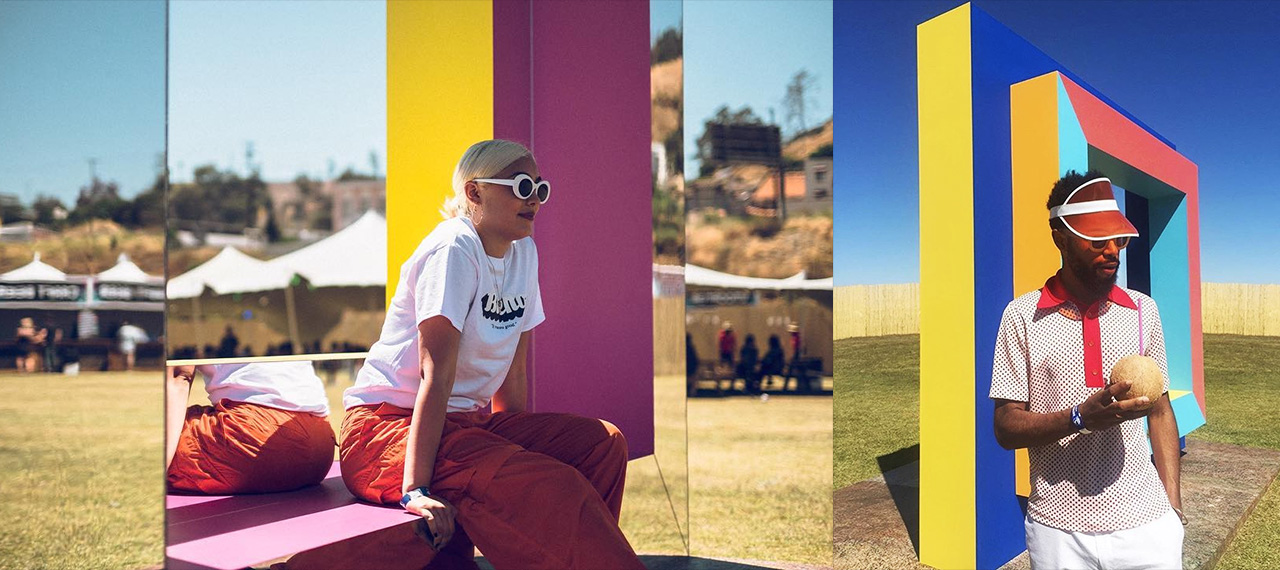
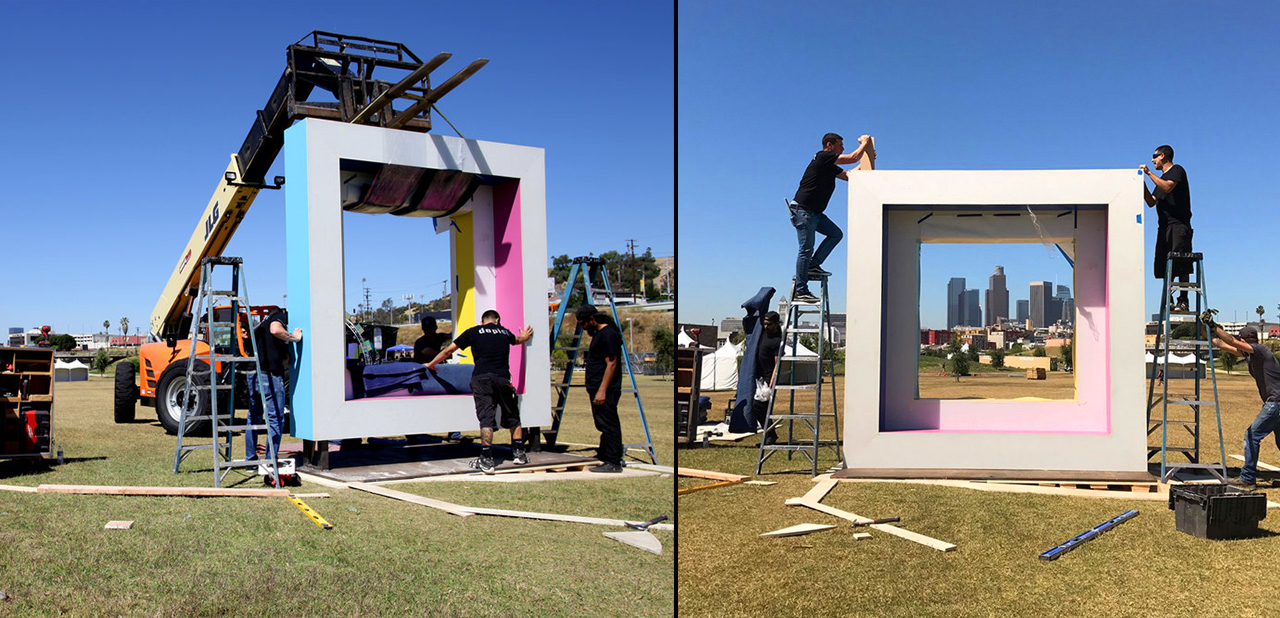
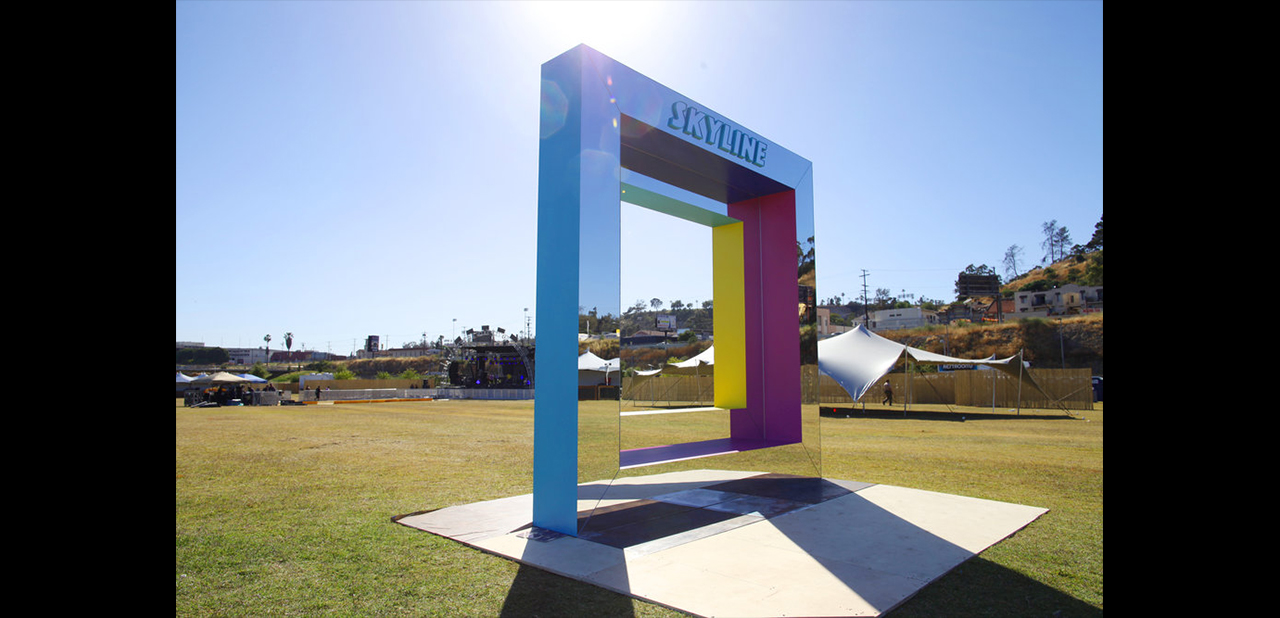
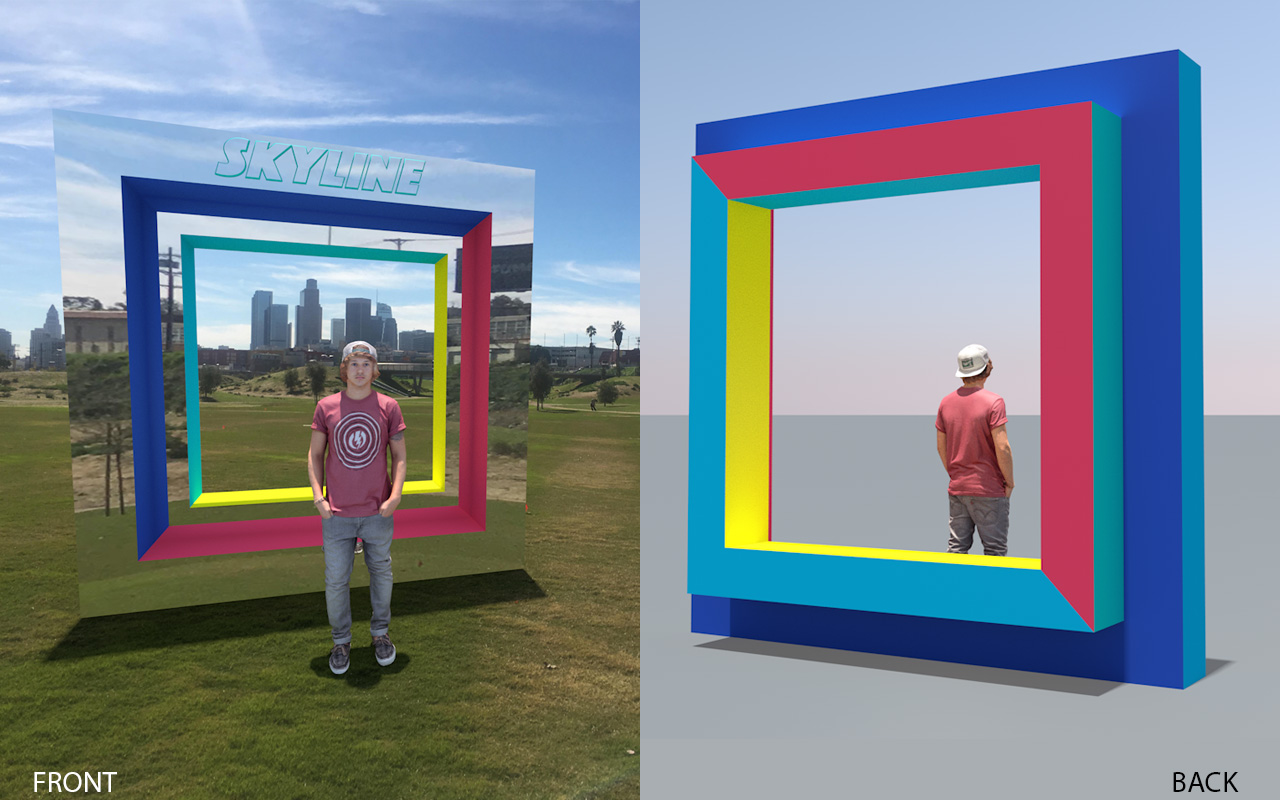
May 25, 2017MOS created a mirrored portal for Insomniac Events newest festival: “Skyline LA”. Skyline LA took place at the brand new LA Historic State park and as the name implies it has an epic view of the LA skyline. With that in mind MOS designed and fabricated a large mirrored portal that perfectly framed the LA skyline. With a mirrored front guests got a unique photo opportunity that changed throughout the day.
Final:
Build:
Social:
BTS:
Spray Paint in VR with Vive Tracker
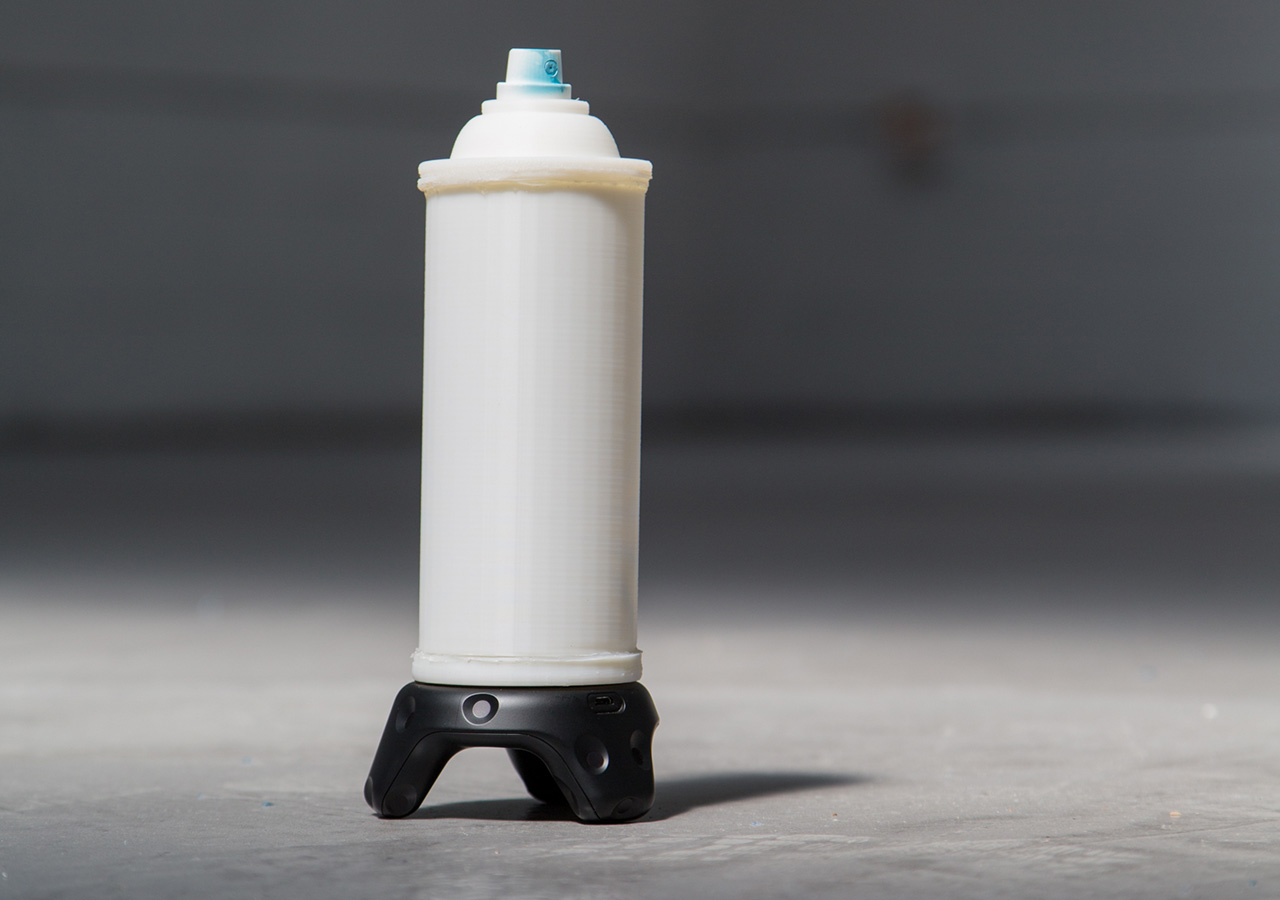
April 19, 2017After working on the first-person-shooter-oriented Mobile Room-Scale, we wanted to make show off the more creative side of VIVE Tracker. For this, we developed a 3D-printed spray paint can that uses the GPIO pins on the VIVE Tracker to send commands to a demo game we’ve created in UE4.
In this tutorial, we will teach you how we did it. We’ll give you the print files needed, walk you through assembling the physical model once it has finished printing, and show you how to connect the incoming signals from the VIVE Tracker Spray Can into the demo game in UE4.
Part 1: Making the Controller
What you’ll need:
Tools
- -3D Printer
- -Solder tools
- -Hot glue gun
- -Wire Cutters
- -Small flathead or other tiny pry tool
Parts List:
- -VIVE Tracker
- -¼ inch attachment for VIVE Tracker
- -Print files
- -spray nozzle/cap from spray paint can
- –Scale up and scale down buttons
- -trigger button
- –22 gauge UL wire – solid
- –jumper cables female-female
Step 1: Print the models
Print Files Folder
Step 2: Assemble the Can
Full Assemble Can Video
Steps:
- 1) Print the 3D files
- 2) Remove the plastic shield from one side of 6 of the jumper pins
- 3) Take the jumper you are going to use for the ground and cut off the other shield
- 4) Strip the head of that jumper
- 5) Cut 1.5 inches from 4 other jumpers, keeping the shield on one end
- 6) Strip those wires and solder them to the ground cable to make a 4:1 ground jumper
- 7) Insert one of the exposed heads of each of the 6 jumpers into each of the holeson the printed base
- 8) Make sure the metal head sticks out about 1mm
- 9) Use the hot glue gun to lay hot glue into the rectangle to hold the jumpers in place
- 10) Fix the jumper heads into the correct position as the hot glue dries
- 11) Use the 1/4 in attachment to fasten the base to the tracker
- 12) Solder 3 inch of lead red and black wire to the scale up and scale down buttons
- 13) Strip 1⁄2 inch from the other end of the wires
- 14) Feed them through the holes on the cylinder and hot glue the buttons into the grooves
- 15) Solder 2.5 inches of green and black lead wire to the trigger button and feed the wire down the top of the cap. Use hot glue to fill the hole available.
- 16) Feed the female sides of the jumper cables attached to the base through the tunnel on the cylinder
- 17) Once fed through you can plug the buttons in. The up button will go to pin 3, the trigger to pin 4, and the down button to pin 6.
- 18) Line up the tunnel to the opposite of the pins on the base
- 19) Align the notches, and twist the cylinder into place, locking it to the base
- 20) Align the notched on the cap to the cylinder, twist, and lock the cap in place
- 21) Take the nozzle from the spray can and push it onto the top button
Part 2: Making the Game
What you’ll need:
For this tutorial, you will need the FBX file for the entire spray can along with the project files for the game we are building. The game is already finished, and the blueprints have all been extensively commented to let you know why we’re doing what we’re doing.
Spray Can: FBX Model
Spray Can: UE4 Project Files
Preface:
Since the VIVE Tracker has just come out, some of the programs we are using haven’t quite caught up to fully incorporating their functionality as of this tutorial. As such, we have a few workarounds to hold you over in the meantime. Once everyone has updated to the OpenVR version that fully supports the Trackers these workarounds won’t be needed.
The first thing you will need to do is download and use the VIVE Tracker Role Changer (VTRC). As of this tutorial, version 0.8 was the newest. Here is the LINK. That allows us to use the GPIO pins as controls when sending to programs, like UE4, that have not updated to the new version of OpenVR just yet.
Here are a few things we think you should be looking out for while we wait for the update to OpenVR:
- -Pairing the Tracker as the second device before using the VTRC will result in the
controller inputs coming in on the wrong hands. Example: Tracker location shows up as
LEFT controller but is triggering RIGHT inputs. - -If, for unexplainable reasons, the Trackers stops registering in UE4, try to restart
SteamVR. In most cases this solved the issue (we believe it is not closing the secondary
data connection when the game closes) and we were able to get back up and running
quickly. - -If the Tracker still does not show up, rebooting your machine should do it.
- -The Trackpad input (pin 5) currently does not register in UE4 with OpenVR.
Step 1: Setting up UE4 for the Motion Controllers
Full Motion Control Setup Video
Steps:
- 1) Create pawn blueprint
- 2) Add scene component
- 3) Add a camera to the scene component
- 4) Add a motion controller component for the left controller to the camera component
- 5) Add any static mesh to the controller component (I’m using a box I scaled down)
- 6) Add another motion controller component for the spray can
- 7) Set that Motion Controller Hand to Right
- 8) Add a scene component to the spray can motion controller, this will be tracker
- 9) Add the spray can mesh and an arrow component so you can see the spray direction
- 10) I set the arrow’s Z position to 180 and Z rotation to 270, which is right at the location of the spray can’s tip
- 11) I set this scene component’s X location to -12 to compensate for the tracker’s size and overall feel in the game.
- 12) I also rotate the scene component Rotation X & Z to -90 because the spray can’s movement did not feel right.
Step 2: Create the Controls for the Inputs
Full Create Controls Video
This section is built to follow within the Project as there are many parts to its operation. Please open the project files for even more detail on this build out.
Below is a summary of what to look for within the Project files:
- – Open the VR Pawn blueprint
- -Go to the Event Graph
- -On event begin play the tracking origin and color for the cube on the second controller are set
- -On event tick we are getting the valid tracked device ID of the controller type, the Tracker should come in as a controller after using VTRC
- -Since we are always connecting the tracker first, we’ll get the first valid ID and set the world location and rotation of the scene1 root of the can mesh
- -The second valid ID will do the same for the color cube on the left motion controller
- -The trigger will be used to change the boolean for “spraying”
- -The grip button will increase the size of the nozzle
- -The menu button currently comes in as the shoulder event. We will use that to decrease the nozzle size
- -On event tick we are checking if the “spraying” boolean is true
- -If it is we call the function line trace/set wall and paint ref
Outside of VR
More fun can be had even outside of VR. For example combined with a projector you can have all the fun of graffiti without the fumes.
Posted in thelab | 23 Comments
Mobile Room Scale Experiences with Vive Tracker
April 19, 2017We debuted our first multiplayer mobile room scale experience at CES this year, and we were actually quite surprised to see how many people actually had alot of fun playing our game “Cover Me!!”. Quick background: “Cover Me!!” is a cross-platform multi-player experience where a person plays in VR alongside his friends who use their cellphone or tablet to blast away waves of enemies. I know what your thinking… “typical wave-based shooter yada yada” BUT by using Vive trackers and attaching them to your cell phone or tablet you have full room-scale tracking ability just like the Vive system. Throw in a few Bluetooth guns and next thing you know you’re shooting laser blasters back-to-back with your buddy in VR, fully aware of each other in the game and working as a team. For us, this solved the problem of going over to a friend’s house and watching them having the time of their lives while you sit on the couch waiting your turn. Now you can play along with them!
Since Vive trackers are available to the public, we thought we’d share how to make a mobile room-scale experience. This could be done in Unity or Unreal Engine, but in this specific tutorial We’ll be showing you in Unreal Engine 4.15. Difficulty: intermediate
Replicating tracker positions
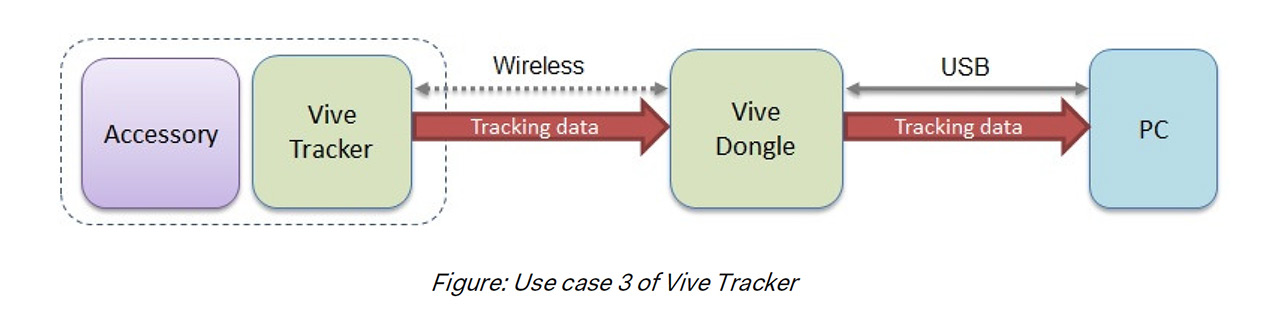
One thing to know about the VIVE Tracker is that while they were designed and produced by Vive, the core tracking technology comes from SteamVR (Valve). The trackers use a proprietary Bluetooth connection that requires SteamVR to be running. Currently SteamVR does not run on ARM processors which most(all) phones use. To solve this, we need to replicate the position of the trackers from the VR computer to the other mobile players. Sounds kind of rough but honestly isn’t that bad and over a local network there is no noticeable latency.
If this is your first time building a multiplayer game I highly recommend checking out this tutorial: Blueprint Multiplayer Shootout Game and having a good understanding of replication and how it works inside of UE4. From there let’s handle sending position to the other players.
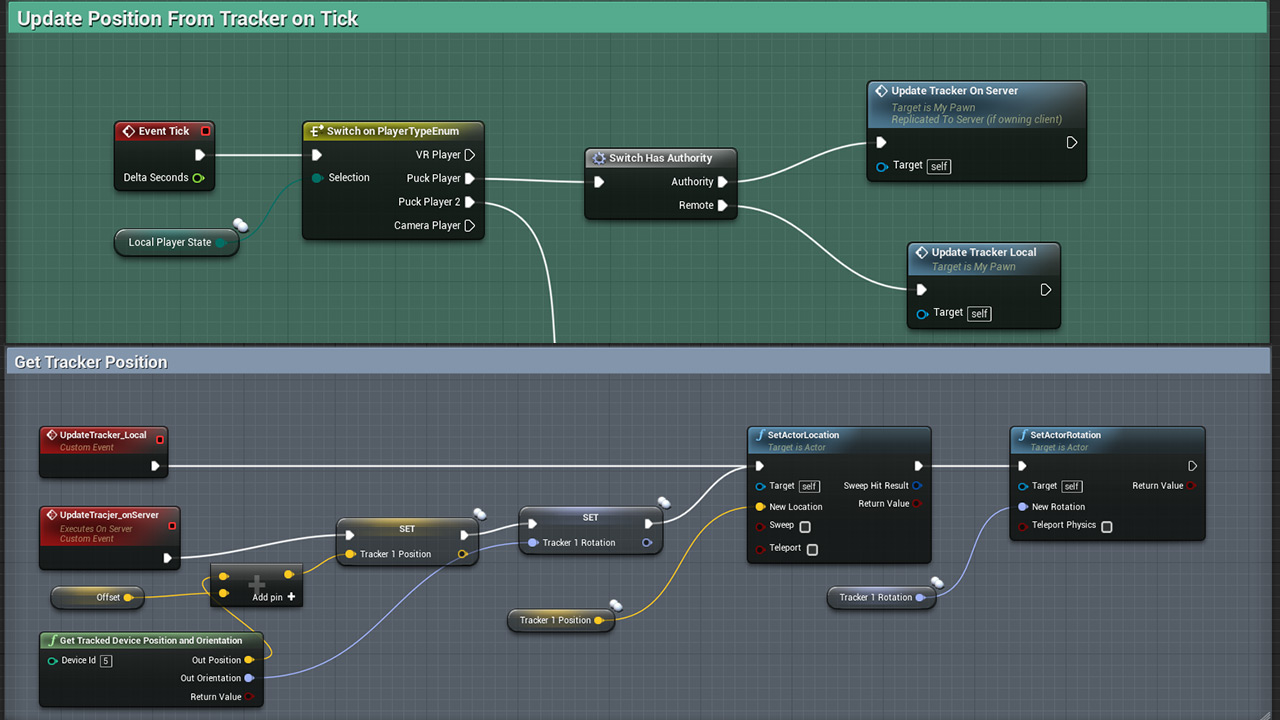
As you can see in the image above it’s a fairly simple setup. We’re identifying if the player is a VR player or Tracker Player (this is stored when player joins game) then we check if this event is happening on the Server or on a remote client (switch has authority node). Notice the custom events being called on tick (red). They are slightly different and this is important. Since we know we can only get position values from a tracker on the PC running SteamVR we only want that PC setting our variables and then broadcasting over the network. We do this by setting “Execute on Server” this prevent us accidentally setting the tracker position variable on a device that doesn’t even have Steam VR running.

We use the built in “Get Tracked Devices Position and Orientation” node using the index of the tracker. We know its id “5” in this case because we are assuming we have base stations (0 & 1), HMD (2), Left and Right controllers (3&4) making the two trackers connect (5 & 6). You could add additional logic here but for sake of example we hard coded.
Once you have this setup and working locally now it’s time to package your game for android and PC. Start your PC server first then it should be straightforward to connect mobile devices as long as you’re on the same network. One “gotcha” to look out for, that Unreal by default assumes you’re not going to be connecting over LAN, to force this edit your “DefaultEngine.ini” file located in your projects config folder by adding the following anywhere in the file:
[OnlineSubsystem]
DefaultPlatformService=Null
Hope this helped and let us know if you run into any issues.
Roomscale VR with Google Daydream
February 17, 2017We are big fans of the new HTC Vive tracker and have been lucky to have early developer access. At CES we used the trackers for our mobile room scale experience “Cover Me!!” , which allows players to use their mobile devices along side a VR teammate. But we see alot more potential for the trackers… One thing that has been on our minds as of late is the Google Daydream Headset and I have to say its pretty solid. While it doesn’t match the tracking capabilities or graphics of a desktop HTC Vive experience the Daydream is wireless and the pixel resolution is a good bit higher (1440×1280 px per eye). Now wouldn’t it be awesome if you could have the room scale tracking ability of the Vive with the wireless higher res Daydream….? To the lab!!!
Combining the Vive Tracker with Google Daydream seemed like a perfect combo. From our previous experience with the Vive trackers we have already solved how to stream their position data to android devices so the only next step was designing a way to hold it on the Daydream. We contemplated creating a head strap to mount on top of your head but for sake of quickness we decided to just mount directly to the Daydream with a custom 3d mount. (this might change revision 2) Our trusty 3d printer came in handy, a quick model in 3d software of choice followed by a lucky first try fit and we were in business. The Vive Tracker has a universal tripod mount on the back so using that in combination with a tripod hot shoe for dslr camera’s gave us a snug strong fit.
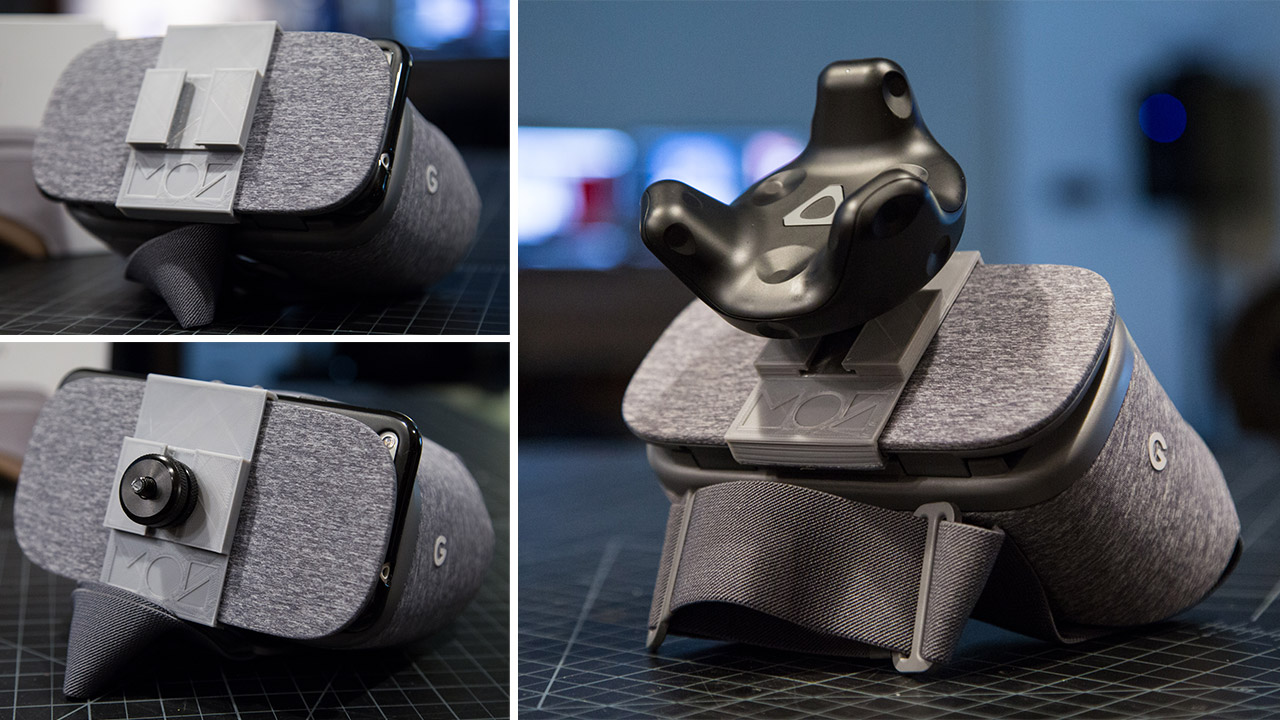
Now I’m sure your wondering but is it as good as the Vive? In short, NO…. its hard to compete with tracked hand controllers, desktop graphics and a wider field of view so Vive is still the winner here. But!! I will say the daydream with added room scale is pretty awesome. There is something really cool about having no tether and sharper resolution. The big downside for now is that there aren’t any room scale games for Daydream (minus ours I guess) so we just ran a demo of our game “Cover Me!” modified to support the tracker and new headset. In the future I could really see this expanding (we aren’t finished yet!)
Excited to keep experimenting!
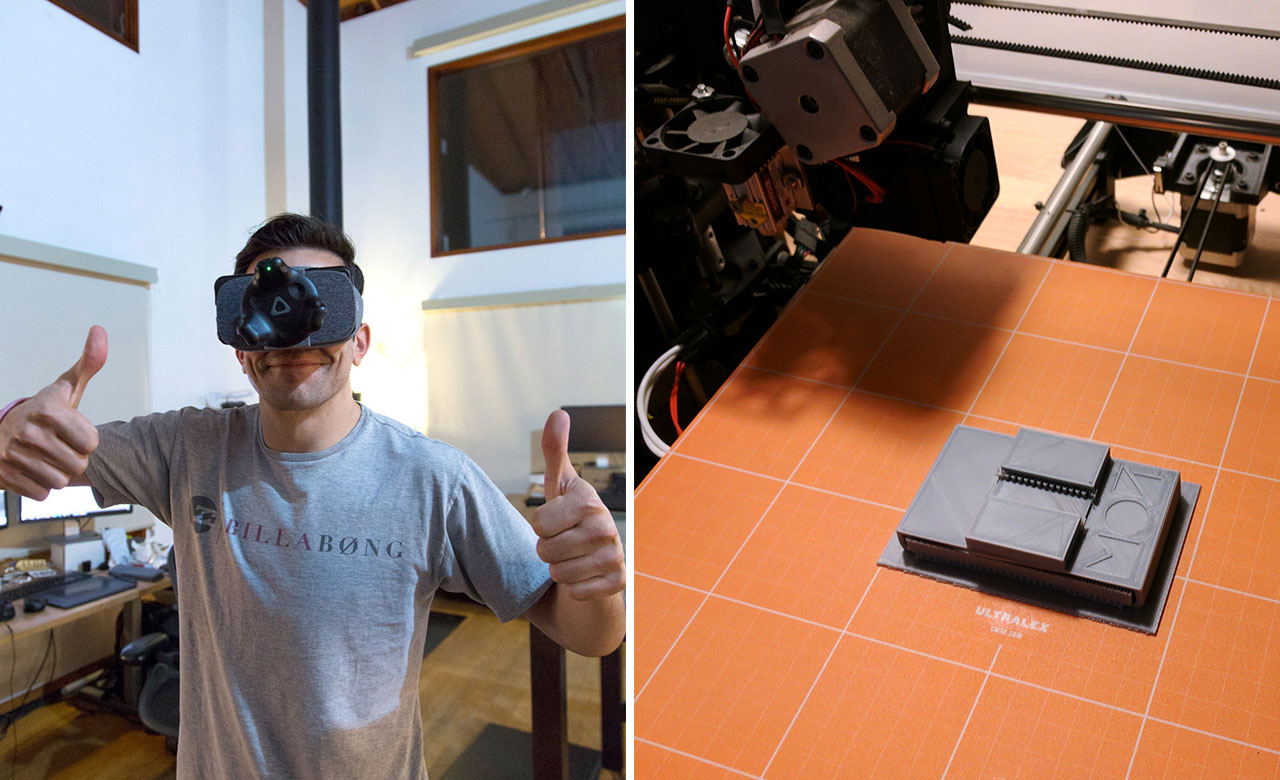
Update: Download Daydream Tracker mount 3d model for 3d print
More Info: Vive Tracker Powers Google Daydream Wireless Room Scale Hack
Posted in thelab | 17 CommentsMobile Room Scale
January 10, 2017Virtual Reality is amazing but one of the big complaints is that its such an individual experience its hard for other people in the room to interact and be social with someone that is in VR. That is where our new tech coined “Mobile Room Scale” comes into play. Essentially bringing multiplayer cross platform experiences to VR.
Master of Shapes was asked by HTC to develop something unique with their new HTC Vive Trackers. We had already been working on a proof of concept using the existing Vive controllers so it was a perfect fit to combine it with their new trackers. Bringing the world of Room Scale VR to mobile devices opens the immersion and excitement to everyone in the room. Waiting for your friends to finish up with the Vive so that you can play is a thing of the past. With Mobile Room Scale, users simply attach an HTC Tracker to their phone and they are able to interact with and capture their friends in VR as if the phone were an HMD or Mixed Reality camera rig.
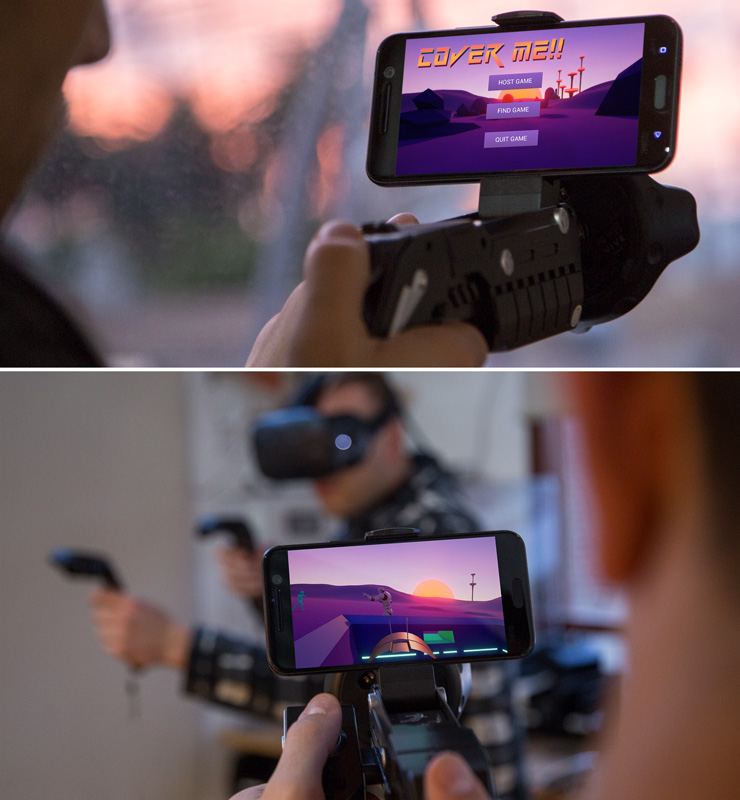
To show the overall functionality that will be released later this year, we have created a first person shooter based demo called “Cover Me” which allows users to play along side a VR player or switch to camera mode and capture the action all on their phone. When in FPS mode, users have a mobile device mounted to a gun equipped with an HTC Tracker. As the user moves around the room they use their gun to protect themselves and their teammates from the onslaught of enemies.
Press Coverage:
UploadVR
New Egg
Engadget
Venture Beat
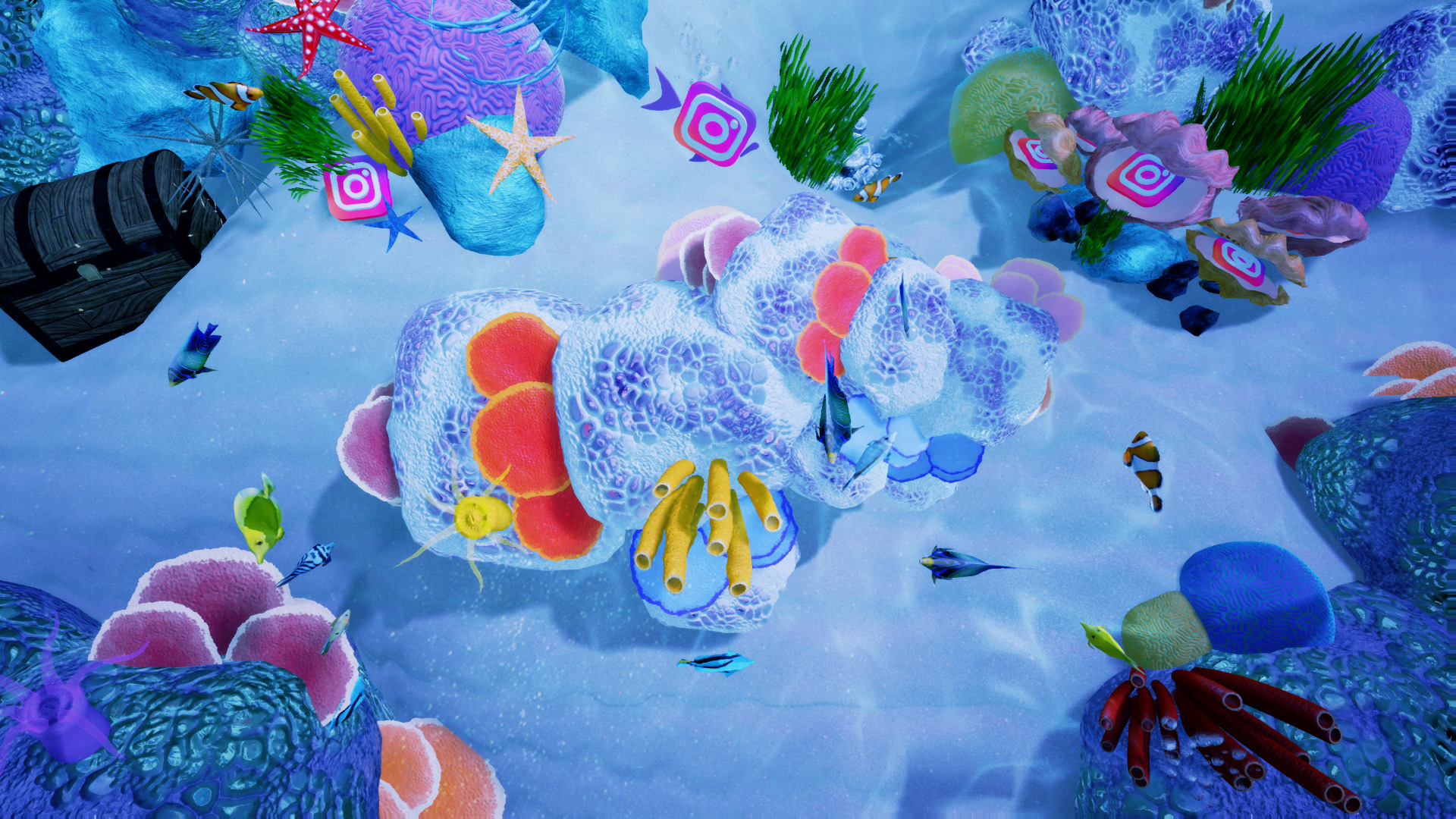
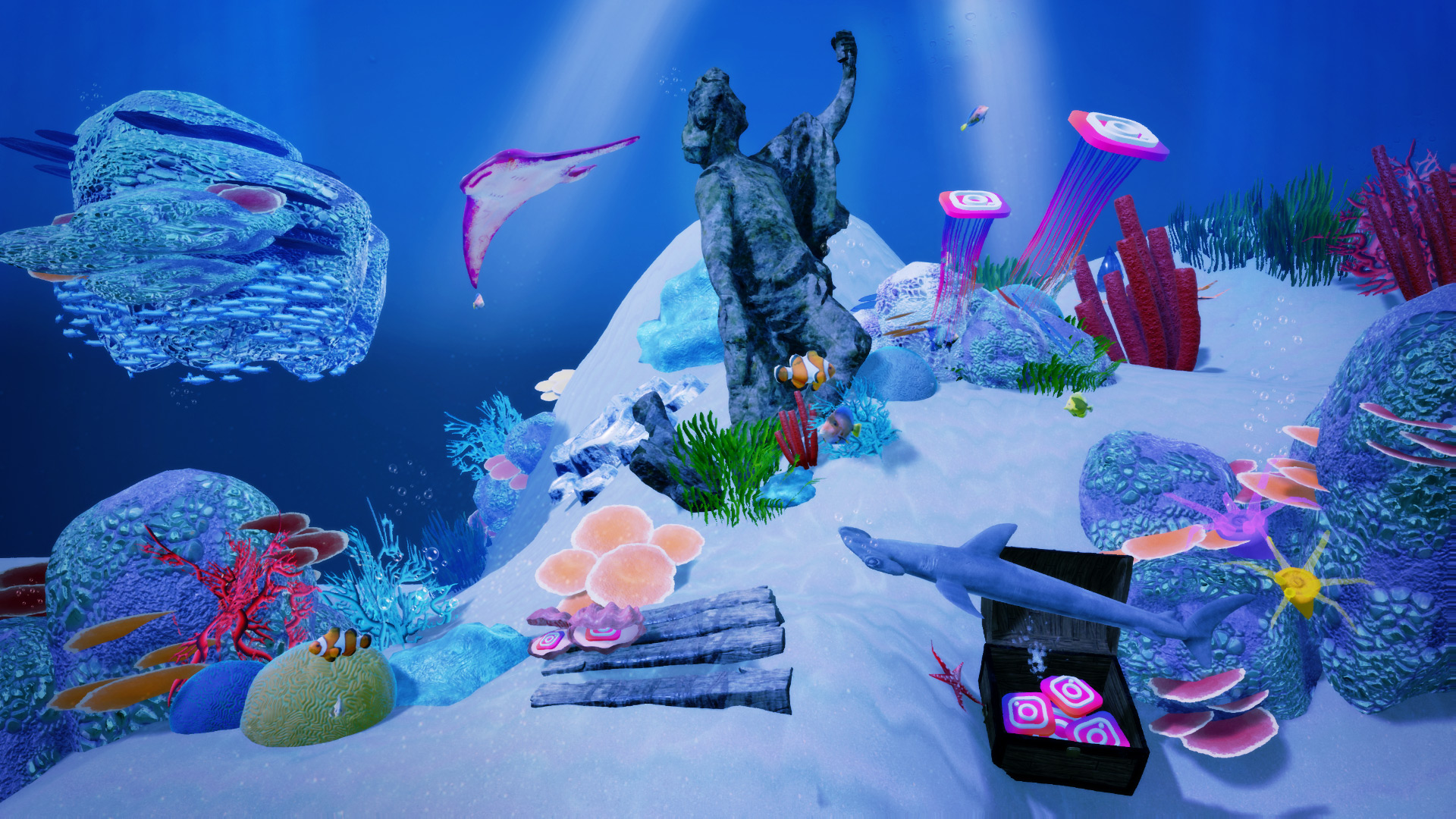
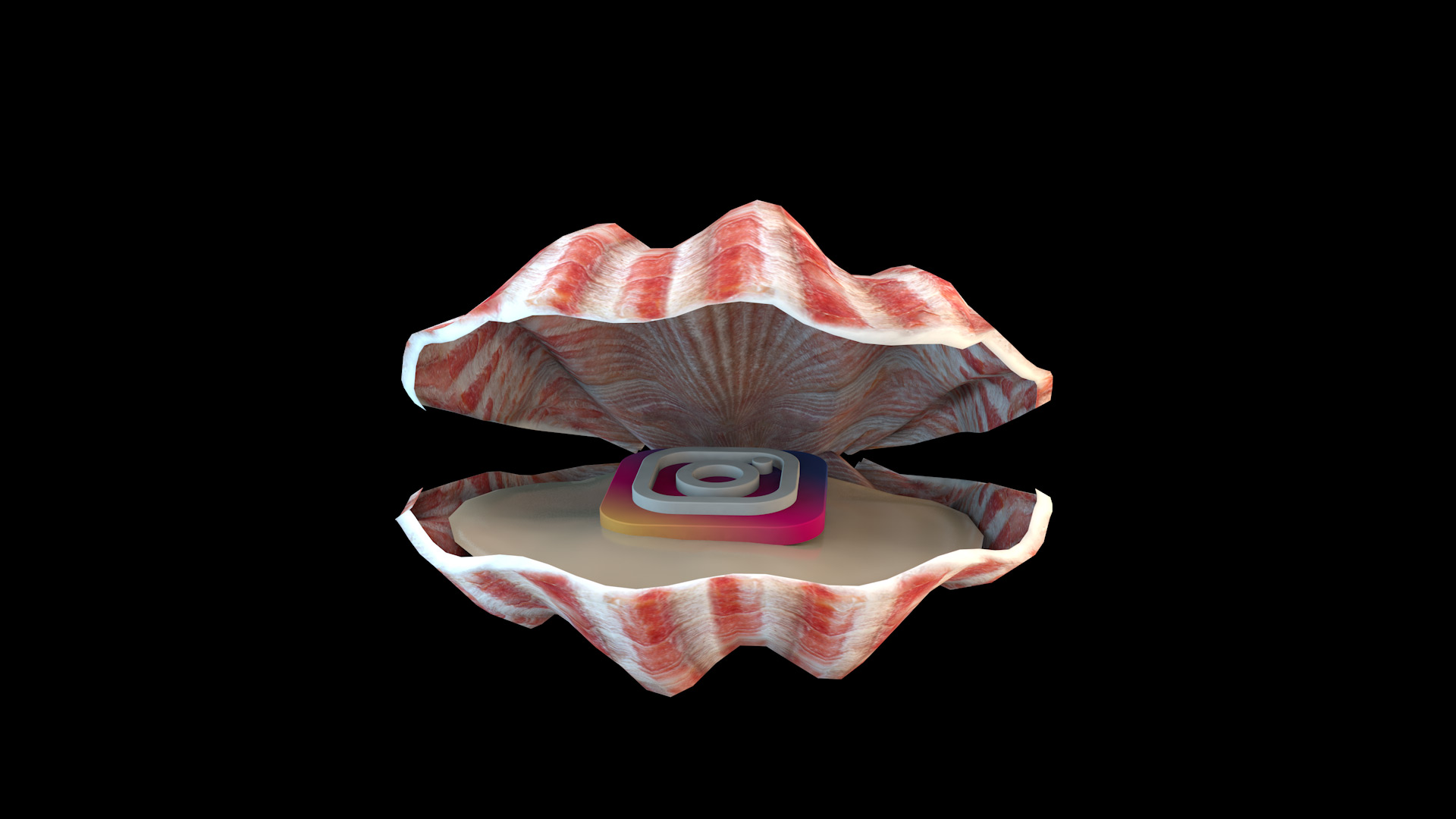
Instagram Interactive Aquarium
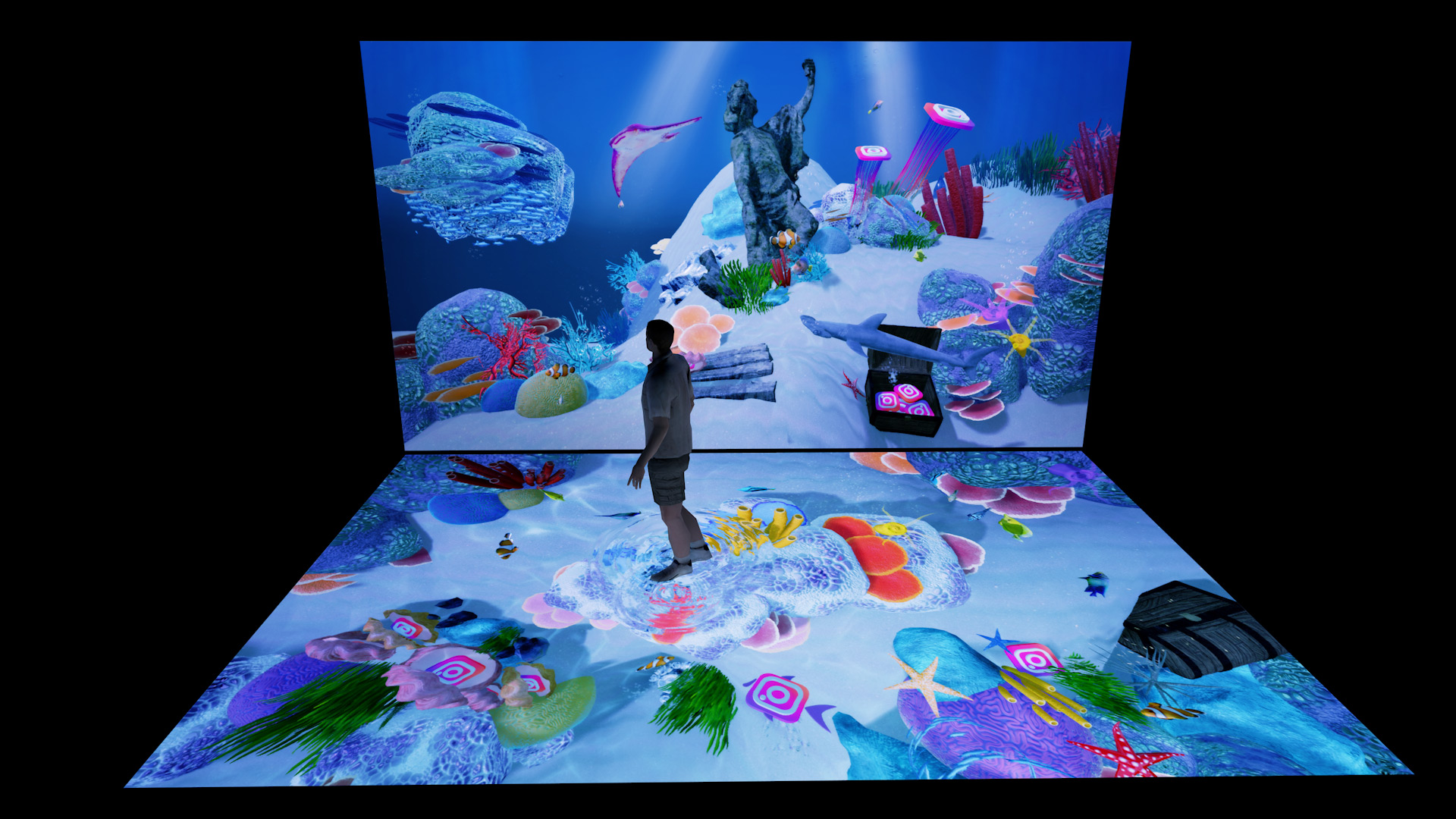
June 29, 2016Interactive Aquarium created for Instagram at Vidcon. Using projection mapping, Unreal Engine 4, Touch Designer, and airscan Lidar. Realtime visuals reacted as people walked through the water and touched the “instafish”.
Some Stills of Design, Previs and Process

Posted in Design, Motion, Work | Leave a comment ← Older posts Newer posts →